In a welcome change, Microsoft has started removing Copilot from some of its built-in Windows 11 apps. This step comes after many users shared negative feedback about too many AI features being pushed into everyday tools.
Earlier, Microsoft had added Copilot to apps like Notepad and Snipping Tool. These updates brought AI features such as text rewriting, summaries, and smart suggestions. While this sounded useful, many users felt these features were unnecessary and made simple apps feel heavy.
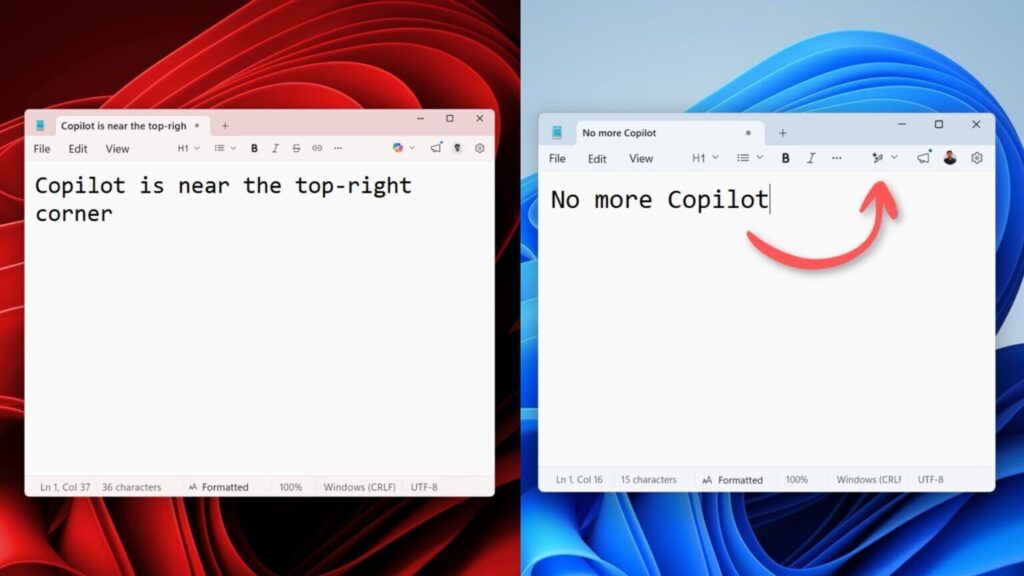
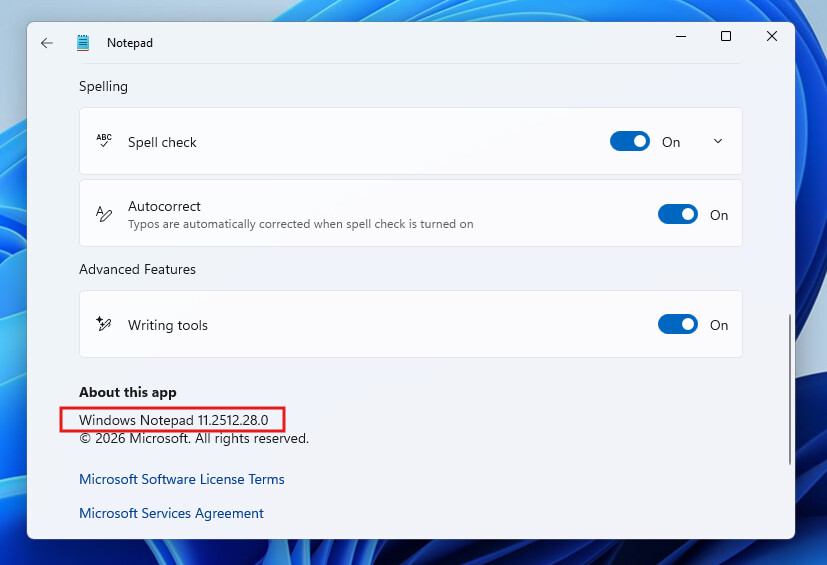
Now, in the latest updates, Microsoft has removed the Copilot icon from both Notepad and Snipping Tool. These apps are going back to their basic and clean design, which many users prefer for quick and simple tasks.
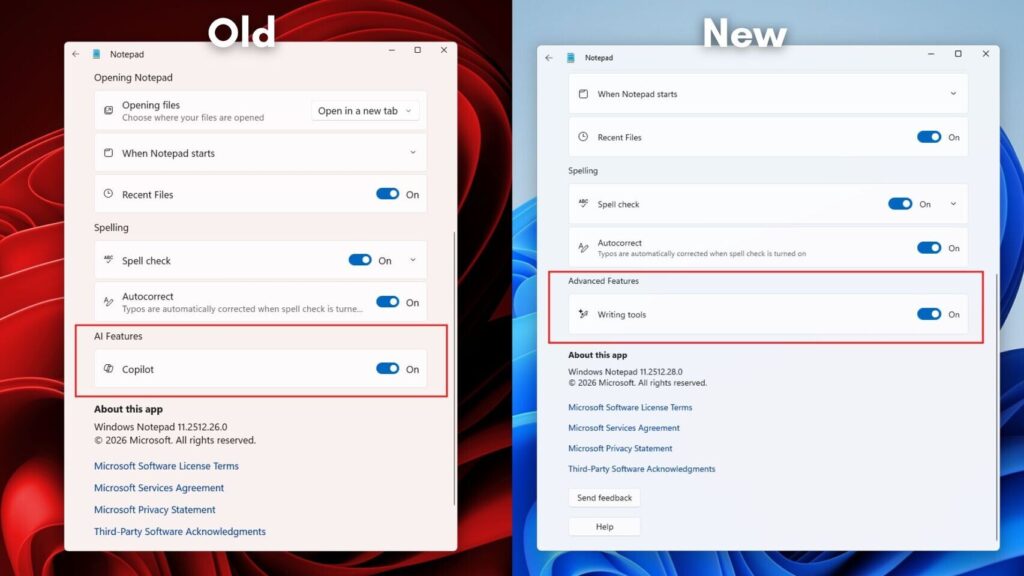
Reports suggest that Microsoft has also paused its plan to add Copilot into every app. The company noticed that many users were not interested in using AI tools in places where they just want fast and simple performance.
The feedback from PC enthusiasts and online communities played a big role in this decision. Many users openly criticised the “AI everywhere” approach, saying it affected the normal experience of Windows.

This move shows that Microsoft is listening to its users. Instead of forcing AI into every corner, the company is now focusing more on improving speed, stability, and security in Windows 11.
Copilot is not going away completely. Microsoft still has many AI tools and services in development, but now it seems the company will be more careful about where and how these features are added.




More Stories
YUNZII unveils eye catching C75 cake choco blue keyboard with smooth typing feel
ASUS introduces advanced ZenMouse MD202 with stylish build and excellent battery life
MSI launches compact Cubi NUC TWG mini PC